About this website
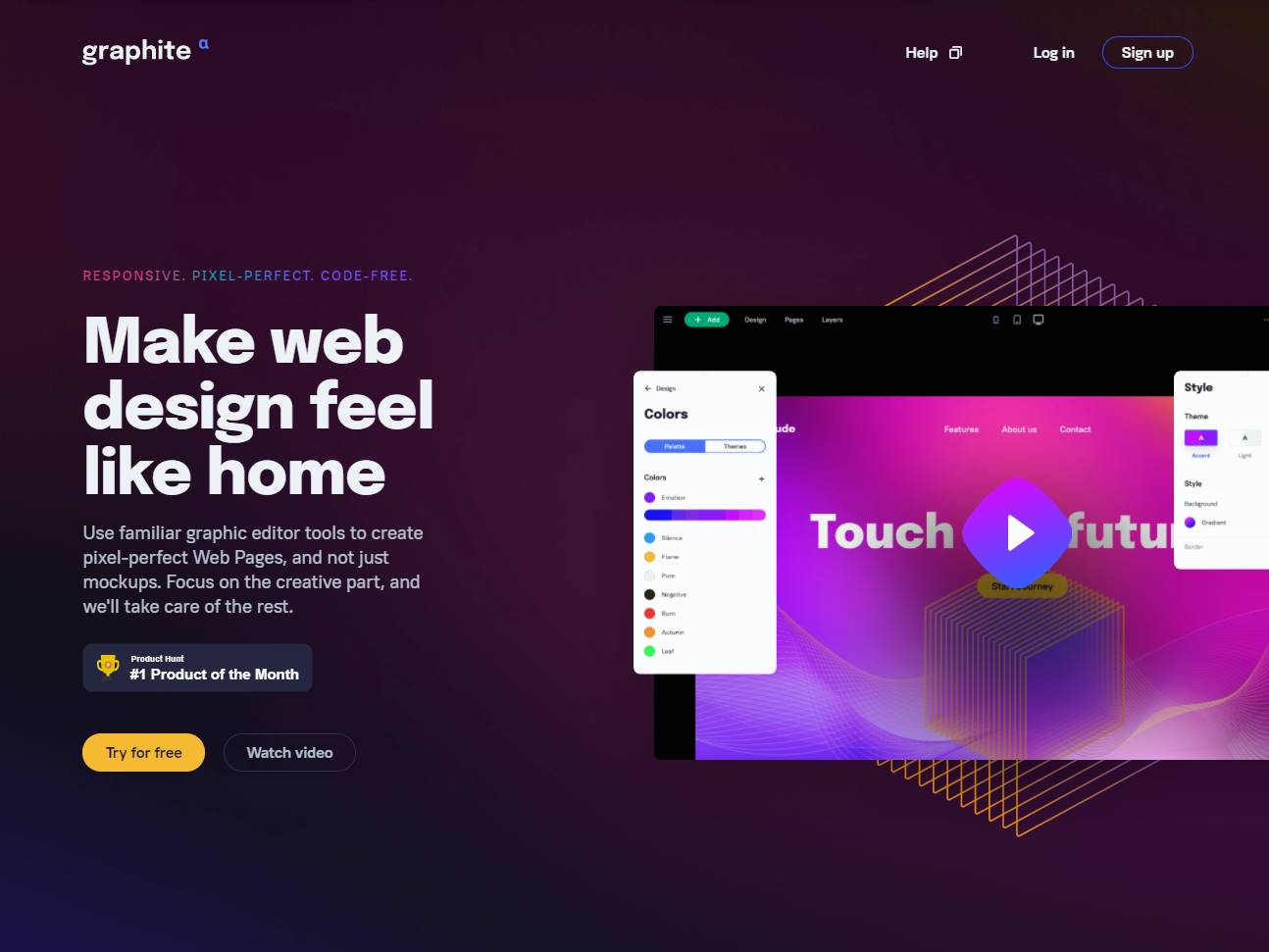
Graphite Space opens like a design application in motion. A deep violet background, bright pink accents and an oversized editor preview place page creation at the center of its homepage, while a yellow trial button supplies the clearest action. The product is a browser-based visual website editor for designers who want to turn layouts into publishable pages using familiar graphic software controls. That focus is more specific than a generic promise of easy website creation.
Navigation is spare: a Features link and a product video account for most of the explanation beyond the homepage. Beneath that simplicity sits a familiar production question: who makes a polished design file work as a website? Sites Gallery’s discussion of the roles of web designers and developers connects visual decisions with the coding and testing that often follow. Graphite’s premise is to bring more of the page-building process into a visual workspace that designers recognize.
The central technical idea is Hybrid Grid. Graphite describes a canvas that combines absolute placement, for precise control of individual elements, with grid-based rules that adapt to different screens. Its feature page mentions adjustable columns, gutters, container widths, margins and padding, and a layout approach based on CSS and Flexbox. The combination is meaningful because an attractive desktop arrangement must still reorganize sensibly on a phone. Here, responsive structure is presented as part of the design process, although the site’s claims about output need hands-on verification.
Graphite also shows a layers panel and describes a global design system with reusable presets, rules and variables. These controls address different levels of the same task: layers help organize individual elements, while global settings help keep colors and spacing consistent as a project grows. Screenshots in the features section give this explanation a recognizable visual reference. They also make the product easier to evaluate at a glance, although screenshots alone cannot establish how smoothly complex revisions work inside the editor.
That balance of appearance and behavior is the subject of Sites Gallery’s article on aesthetics and functionality in digital service design. Graphite frames the customer journey in three steps: choose a template or start with a blank page, design visually, then publish. The short sequence links the designer’s canvas to the eventual visitor experience. It may appeal to people with a clear art direction who want to adjust pages directly, including those who would otherwise hand off static mockups for development.
The site demonstrates this approach through editor illustrations, a video and separate sections on Hybrid Grid, Layer Design and Global Design System. Repeated trial invitations connect each explanation with the next action. Its public presentation, however, does not include a substantial gallery of named client projects or detailed case studies. Visitors can see the intended editing methods more easily than independently documented results. That matters when assessing questions such as published-page performance, accessibility and mobile behavior, which require testing beyond promotional screenshots.
The homepage roadmap marks custom domains, forms, templates and headless CMS integration as complete. A discrepancy remains: reusable components are called complete on the roadmap but ‘coming soon’ on the features page. Their current availability is therefore uncertain. Graphite’s public history is clearer. Product Hunt records a 2021 launch and a first-place monthly ranking in May that year. This provides an independently checkable milestone, while current feature coverage still calls for direct evaluation.
A visual builder is most useful when its editing model fits the complexity of the project. Visualmodo’s guide to website builders versus custom website development outlines relevant tradeoffs in flexibility, upkeep and project scope. Based on the features it presents, Graphite Space is particularly relevant to graphic designers, freelance web designers and small creative teams building portfolios, campaign pages or compact business sites where layout control matters. Teams planning specialized integrations or complex application functions should check the live editor and publishing workflow before committing.